Schema City for Umbraco
See your Umbraco content model as a city in the backoffice, and catch schema problems before they ship.
Schema City shows your Umbraco content model as a city, right in the backoffice. Each Document Type is a building and each property group a floor. Traces between buildings show allowed children, compositions, block targets and picker references. Use it to understand a schema before you change it.
Try the demo in your browser. It needs no Umbraco install.
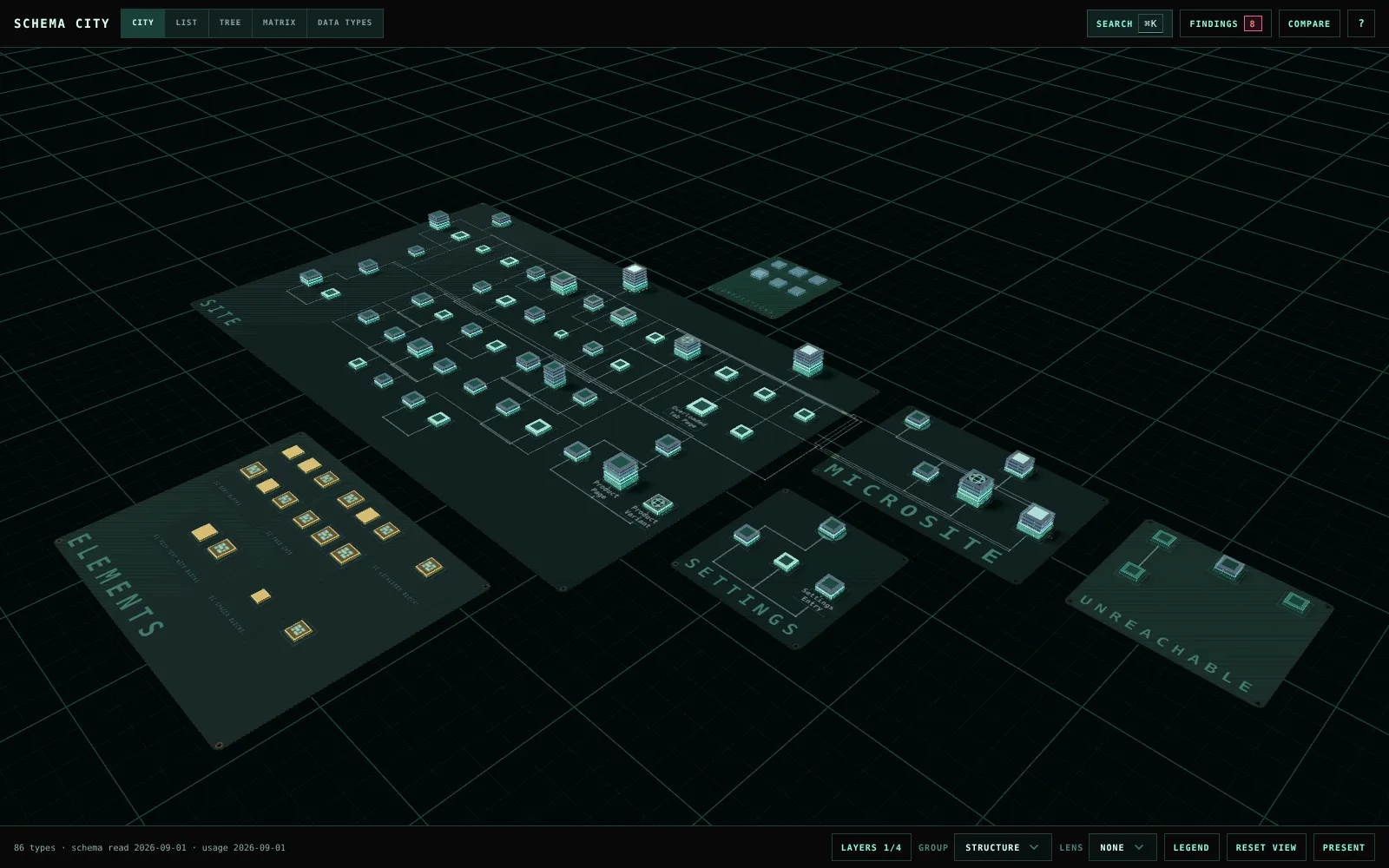
How the city maps to your schema
| In the city | In your schema |
|---|---|
| Board | A type allowed at root and everything it can create. Element Types, compositions and unreachable types get a board each. |
| Building | A Document Type or Element Type. Bigger buildings have more properties. |
| Floor | A property group |
| Trace | An allowed child, a composition, a block target or a picker reference |
What you can do with it
- Find your way around a schema. Search by name, alias or property alias, hover a building to see what it connects to, and focus on a type and its neighbours. See Investigate a type.
- Catch problems before they ship. Findings checks the schema for blocks that point at deleted Element Types, duplicate aliases, unused types and Data Types, types no editor can reach, culture mismatches and overloaded tabs. See Review findings.
- See what content uses. Colour the city by content count, published share, cultures, incoming references or unused types. See Check content usage.
- Know what a change will touch. Impact lists every type a change reaches, with the path to each one and its content count. See Trace the impact of a change.
- Compare environments. Export a snapshot of the schema, then compare against it later or against another environment. See Compare schema snapshots.
- Read the schema without the 3D. List, Tree, Matrix, Editor and Data Types work without the city canvas and from the keyboard. See Move between views.
- Show it to a room. Presentation mode fills the screen with larger names, and a caption card replaces the inspector. See Present the city.
Good to know
- Treat a finding as a reason to look before you delete anything. Custom code, templates, migrations and external systems can depend on a type that no content uses.
- Usage counts are a snapshot, cached for one minute. Block counting stops after 50,000 values or five seconds, and the app says when it did.
- Decisions on findings are stored in Umbraco’s
umbracoKeyValuetable, so the package needs no migration. Every user with Settings access sees the same decisions. - The screenshots come from the demo, which has 86 types with problems planted on purpose. They show the app without the backoffice around it.