Present the city
Show the schema to a room in presentation mode, with larger names and a caption card.
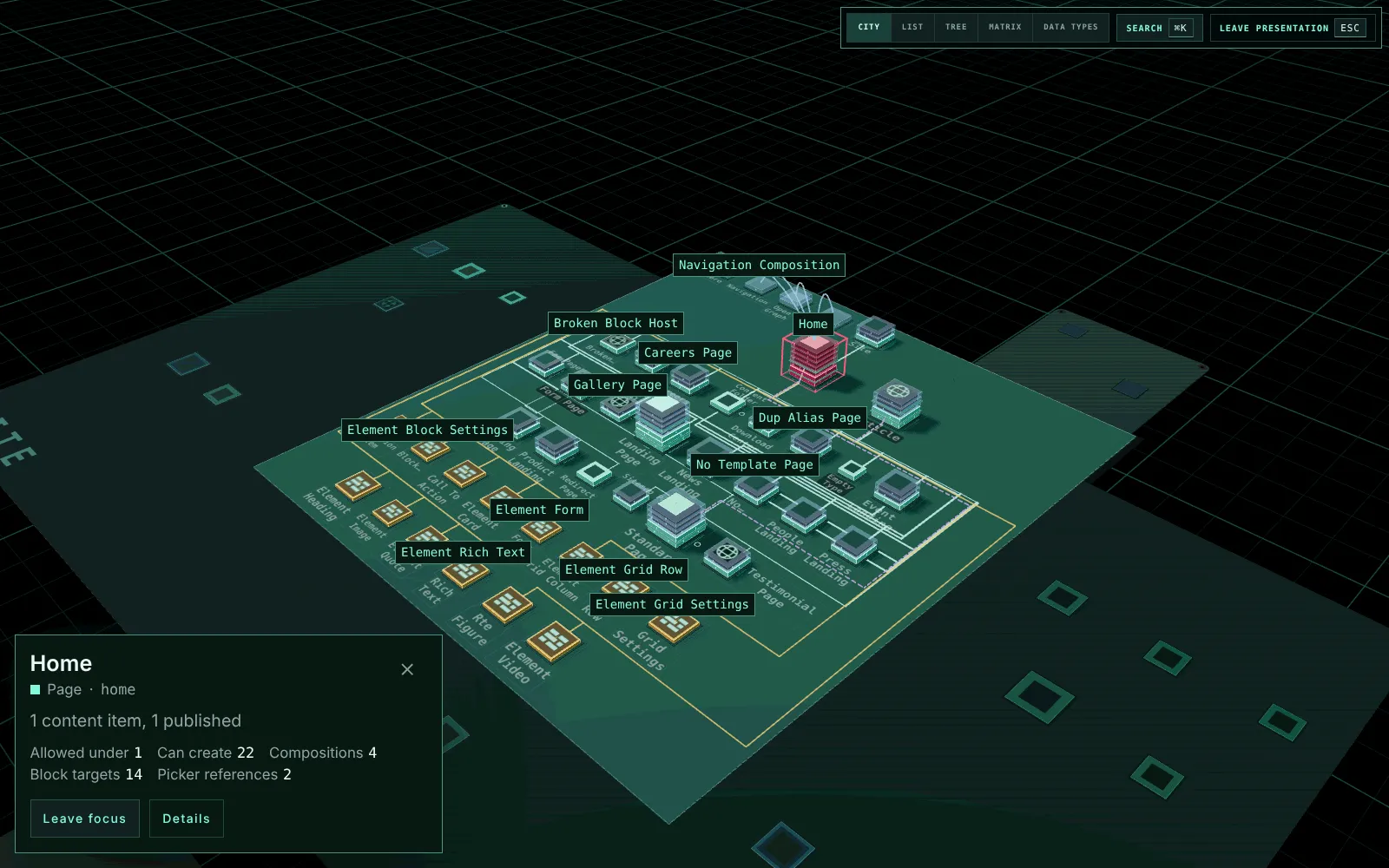
Press P, or choose Present in the footer, to show the schema to a room.
- Presentation mode takes the whole screen where the browser allows it. A backoffice that is not allowed to go full screen, or a link opened with
present=1, fills the window instead. Press P twice for full screen. - The header and the footer go.
- The names over and on the city, the 2D views, the legends and the inspector are drawn 1.4 times larger, so they read on a projector. The names printed on the boards keep their larger size longer as the camera comes closer, and the overview still prints every name that reads.
Move the mouse and a slim bar appears at the top right, with the views over the whole schema, Search and Leave presentation. It fades when the mouse rests, and Tab reaches it at any time.
Selecting a type shows a caption card in the bottom-left corner instead of the inspector. It gives the type’s name and role, how much content it has, and how many types it has in each relationship. Details opens the full inspector over the view. Editor and Impact open from the card’s Details. The camera frames on the whole screen either way. In the 2D views the last rows scroll clear of the card.
Closing the card, or clicking bare ground, puts the type down and keeps focus, as it does outside presentation. Leave focus on the card, or Home, leaves focus.
Esc closes Details first, then leaves presentation and keeps the focus, the selection and the view. Leaving full screen the browser’s way leaves presentation too. Focus, Impact, Show in city, the change layer and lenses all work as they do outside it.
A typical run:
Start on the overview
Focus a type
Show what a change reaches
Compare its compositions